Theme Information
- Name: Danto – News and magazine theme for Jekyll.
- Danto is a fast, modern, optimized, and mobile-friendly Jekyll theme. It is fully compatible with GitHub Pages, supports videos from YouTube and Vimeo, and also has a light and dark mode. This theme has been designed with a focus on readability to provide your visitors with a quality user experience and is perfect for a personal blog, news, magazine, and all kinds of publishing websites.
- Current Version: 1.0
- Released: 25/01/2023
- Creator: Artem Sheludko
Table of Contents
- Configurations
- Installing Ruby & Jekyll
- Deployment
- Authors
- Posts
- Pages
- Changing Colors
- Gallery
- Navigation
- Disqus Comments
- Google Analytics
- Update favicon
- Credits
- Support
Configurations
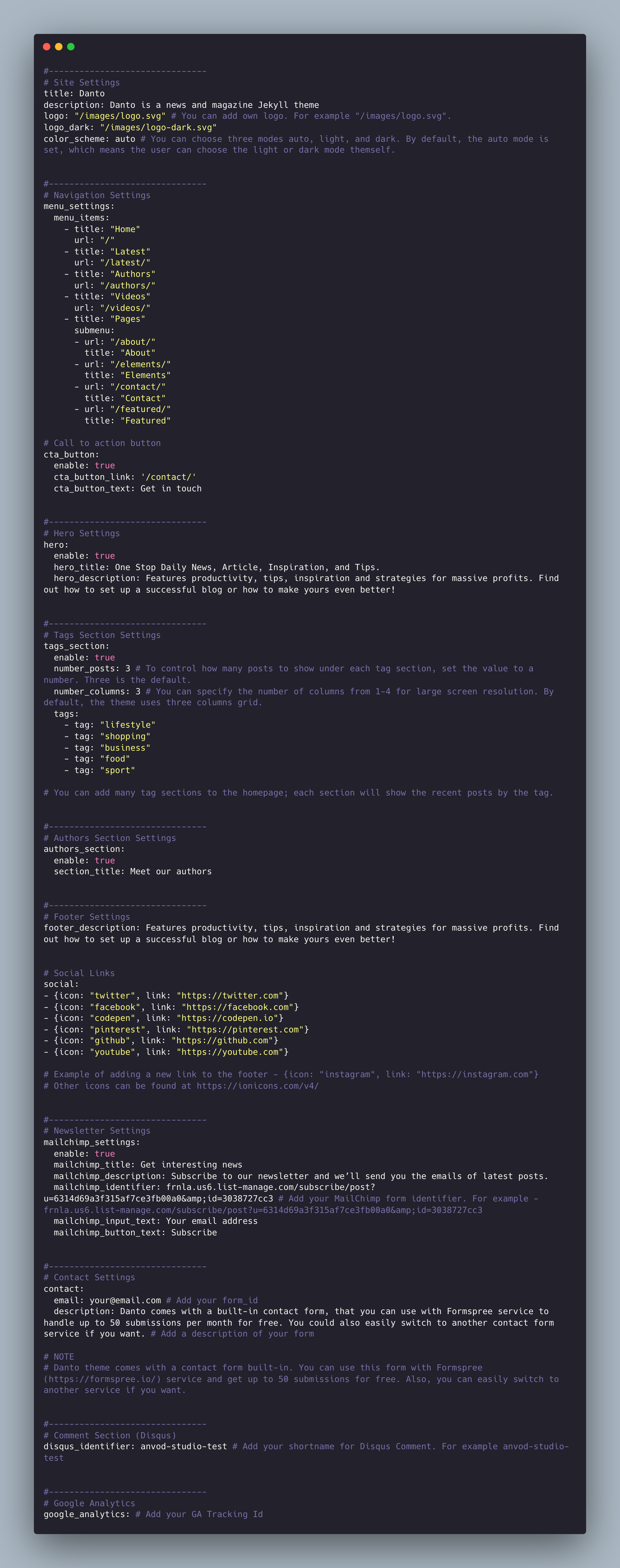
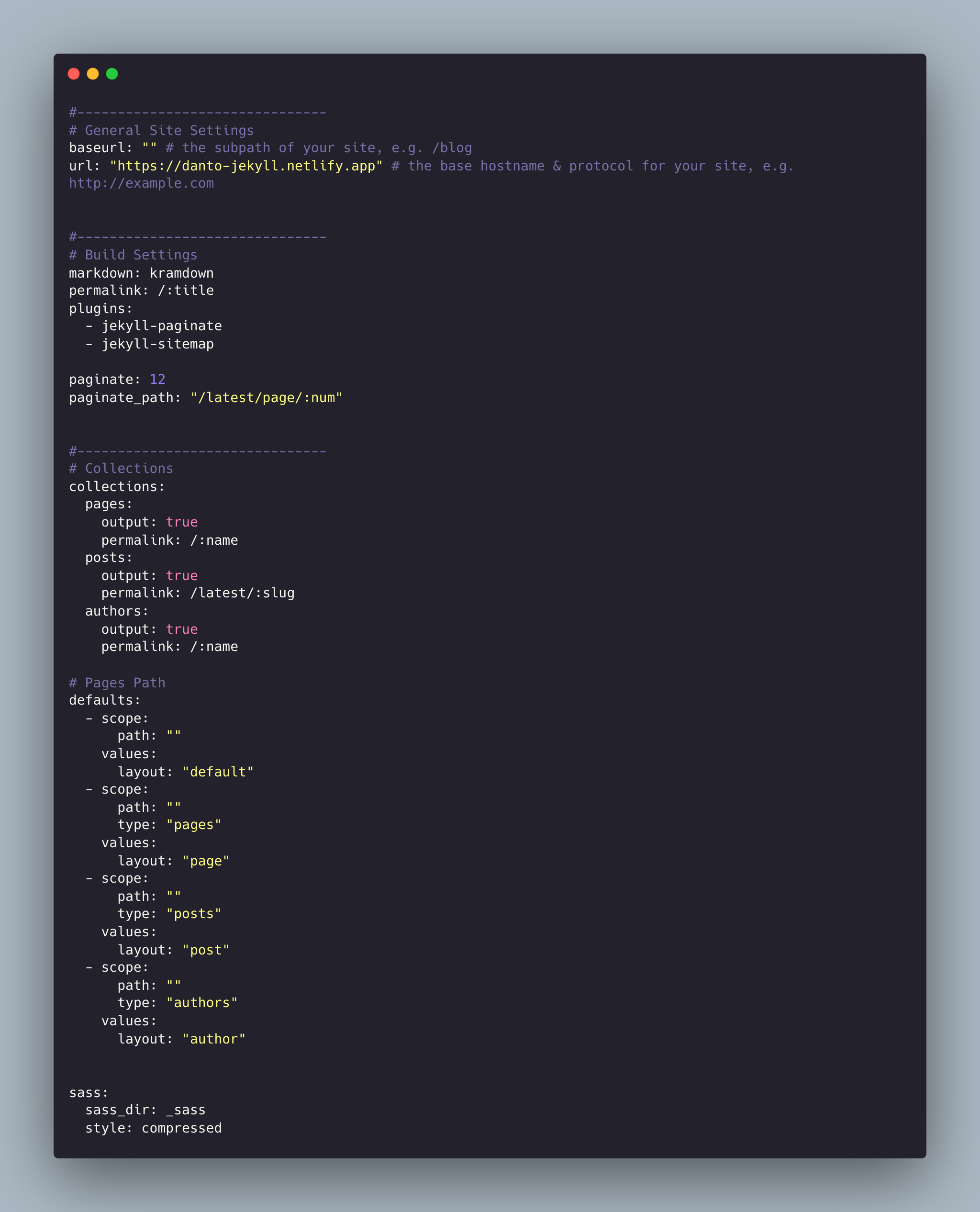
Danto theme comes with different customizations the _data/settings.yml and _config.yml files:
Installing Ruby & Jekyll
If this is your first time using Jekyll, please follow the Jekyll docs and make sure your local environment (including Ruby) is setup correctly.
Deployment
To run the theme locally, navigate to the theme directory and run bundle install to install the dependencies, then run bundle exec jekyll serve to start the Jekyll server.
I would recommend checking the Deployment Methods page on Jekyll website.
Authors
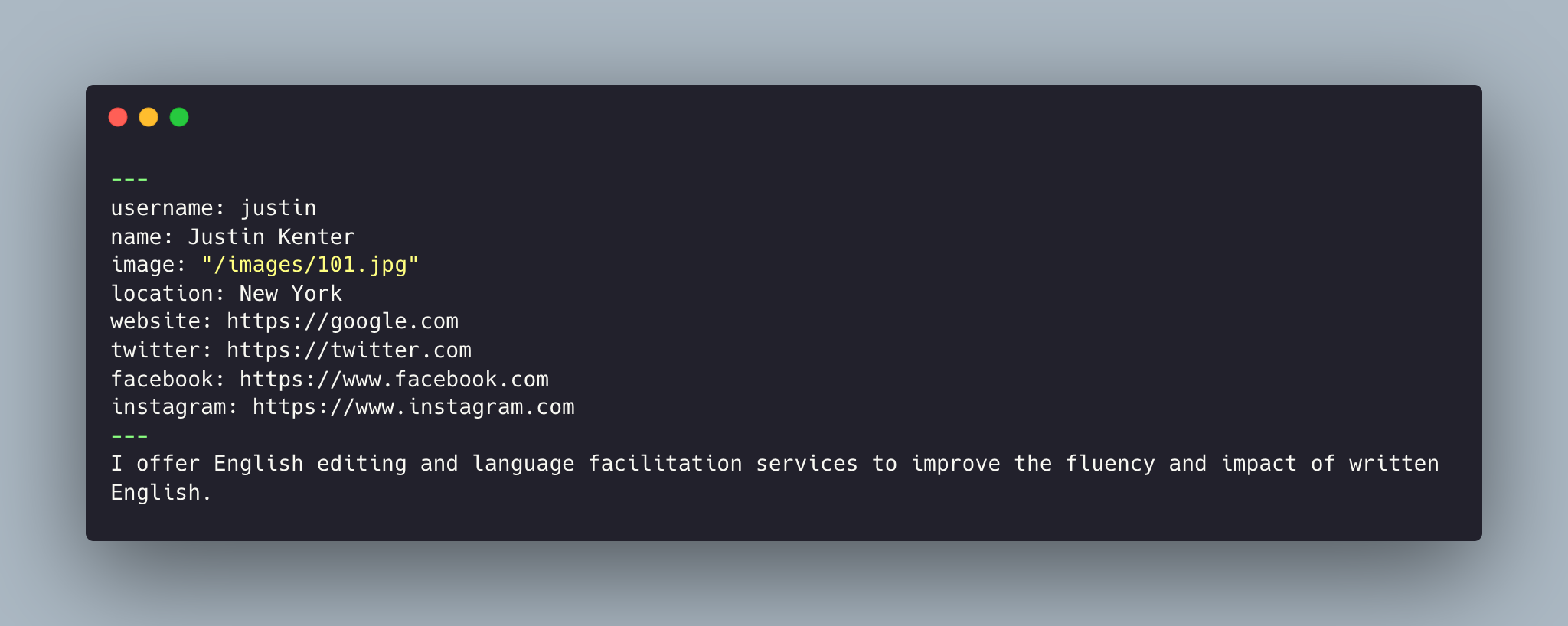
For example, here's how you would create a new author:
1. Add a file name _authors/justin.md with the following content:
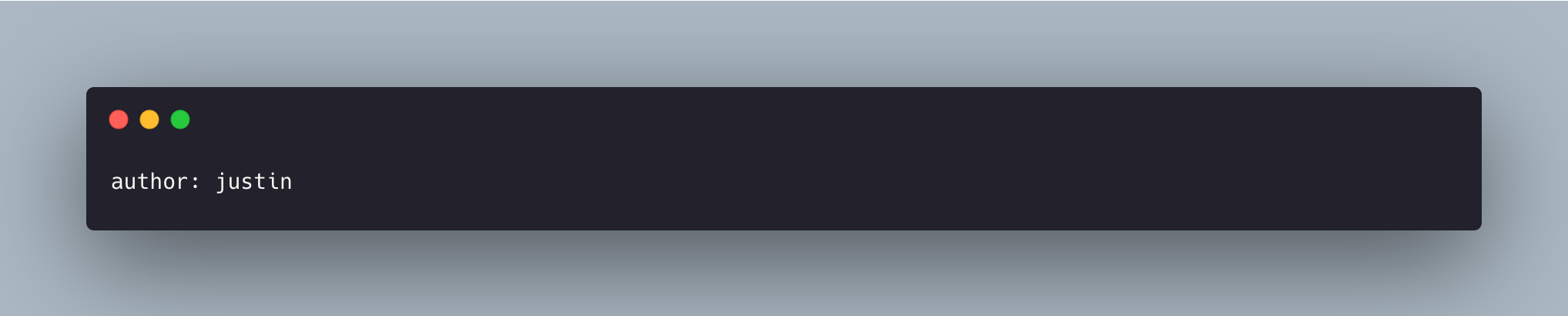
2. Specify the username in the front matter in the post:
Important: By default, the primary author is the admin. You can change the admin data in the _authors/admin.md file.
Posts
To create a new post, you can create a new markdown file inside the _posts directory by following the recommended file structure.
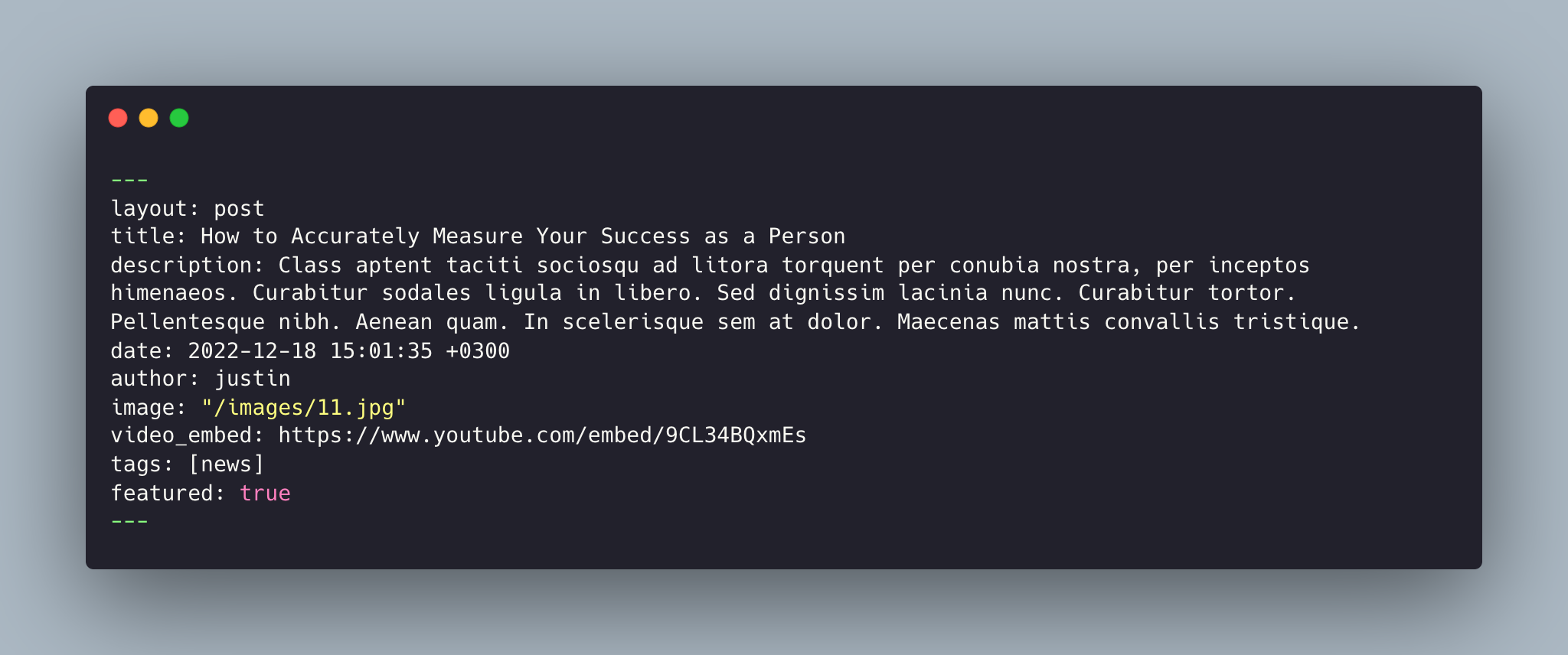
You can set the title, description, author, video_emded, tags, featured or not and the post image.
The featured key is to mark the post as a featured post. If you feature some post those posts will be shown in featured posts section ordered by published date.
Clicking the Featured link in the navigation menu will take you to the Featured page, where you can see all the featured posts.
Add post images to /images/ directory.
Full Width Image
To have wide images in pages simply add #wide word with the hashtag at the end of image path like in the example below:

Video Post
To create a video post, specify the url/link to the video in the video_embed: field like in the example below:
video_embed: https://www.youtube.com/embed/gghgYaYeG_M
Tags
For tags, try to not add space between two words, for example, Ruby on Rails, could be something like (ruby-on-rails, Ruby_on_Rails, or Ruby-on-Rails).
Pages
To create a new page, just create a new markdown file inside the _pages directory.
The following is the about.md file that you can find as an example included in the theme with the configurations you can set.
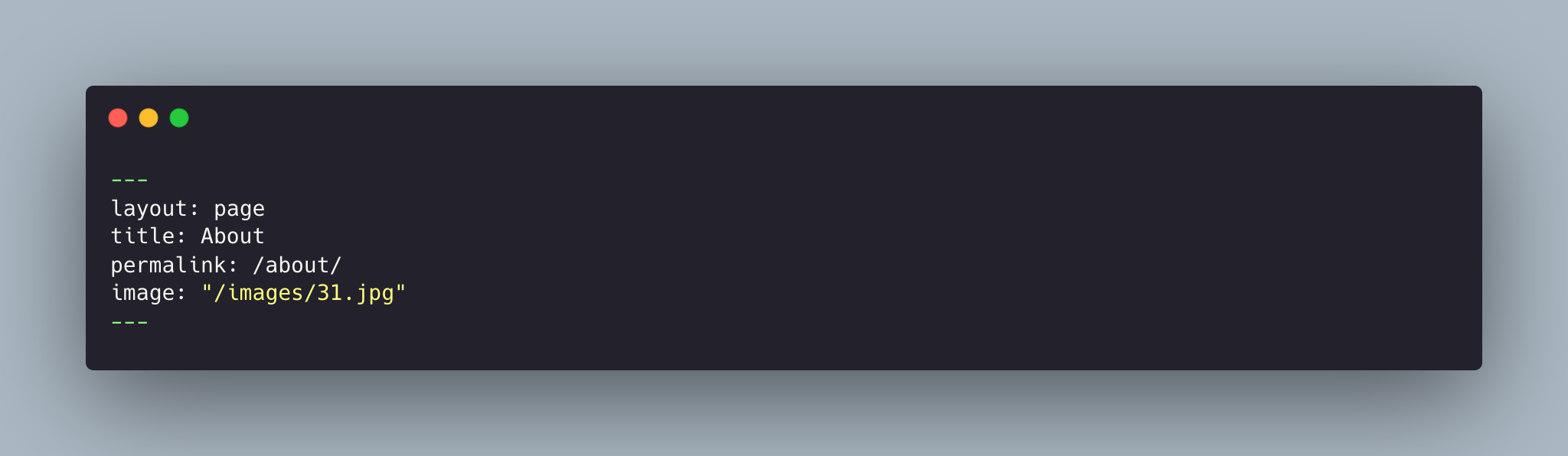
Things you can change are: title, permalink, and image name.
Changing Colors
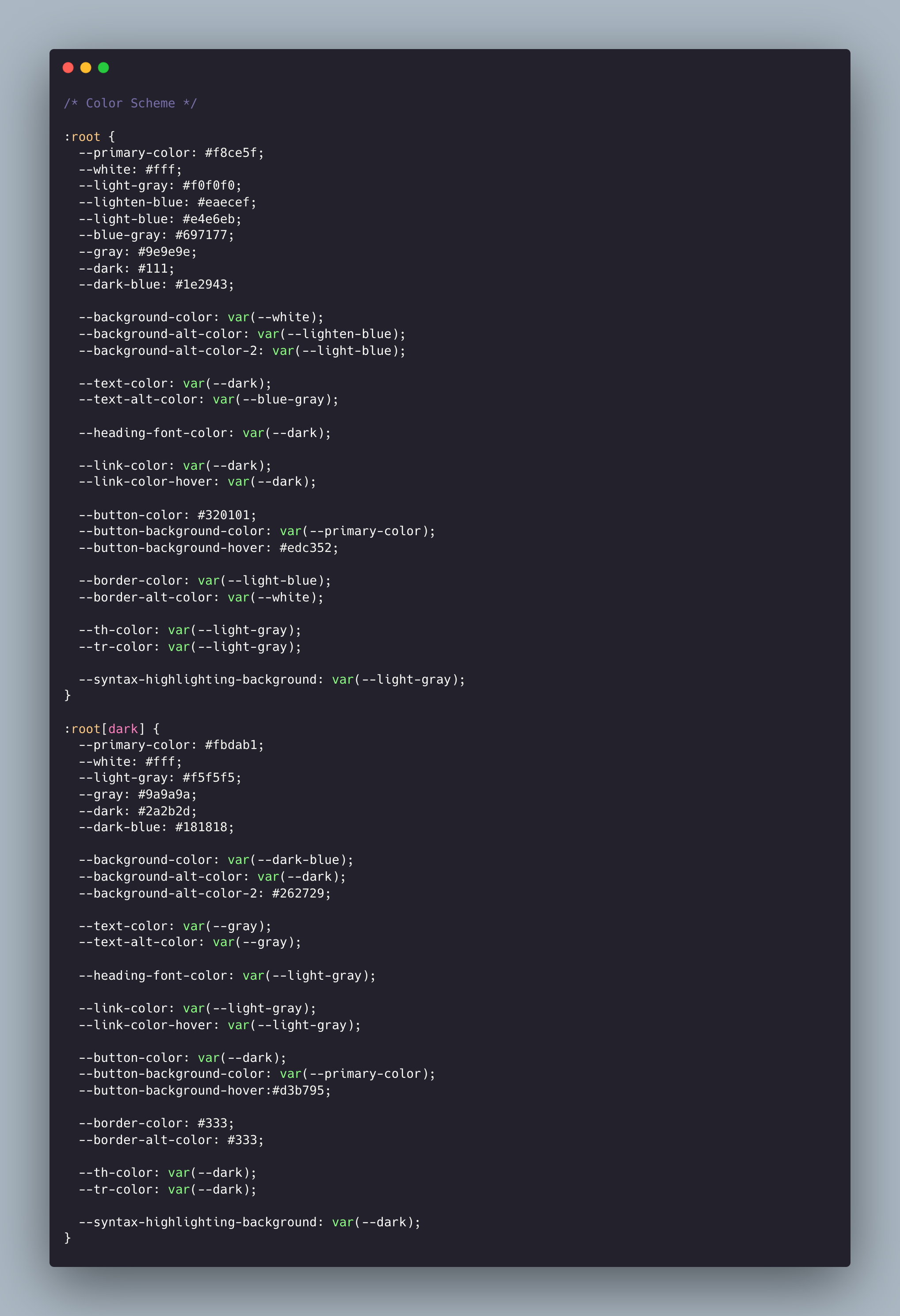
You can change all your website colors from the color-scheme.scss file.
Go to _sass > 0-settings > color-scheme.scss to change colors.
Gallery
Use HTML markup to use gallery on pages. For example:
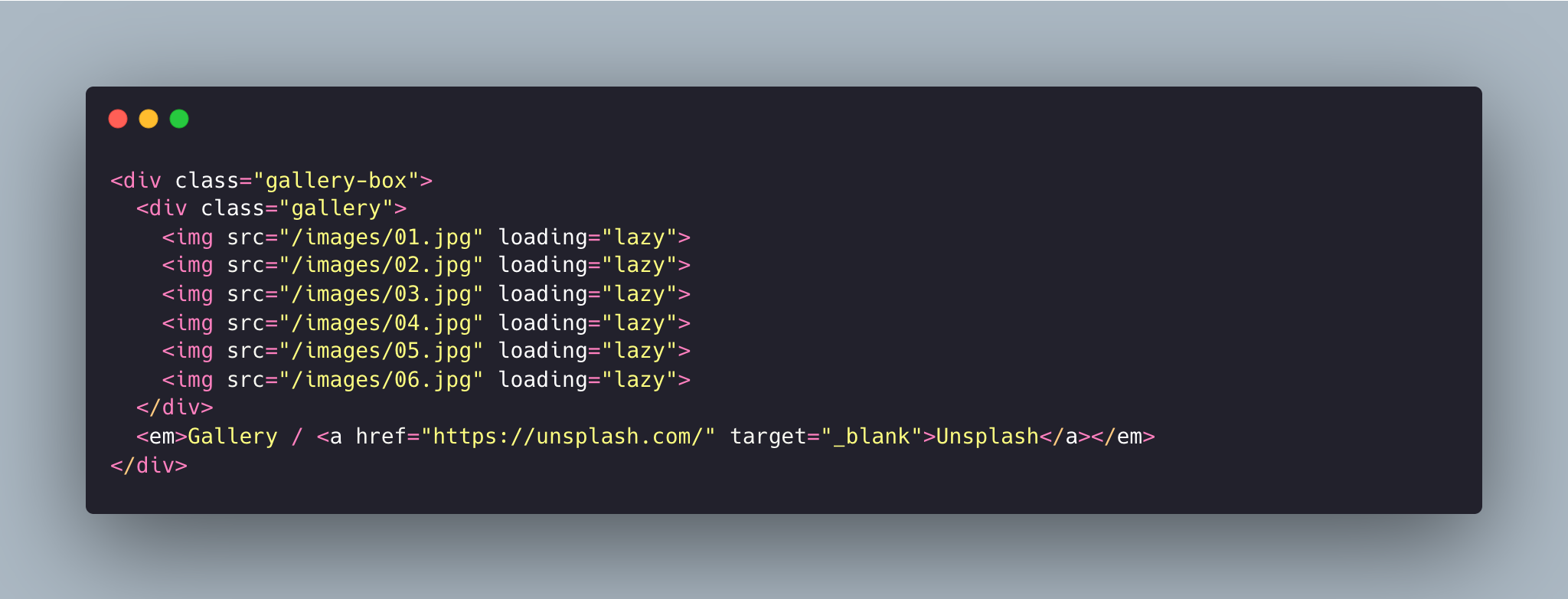
Don't forget to provide the correct path for your images.
Navigation
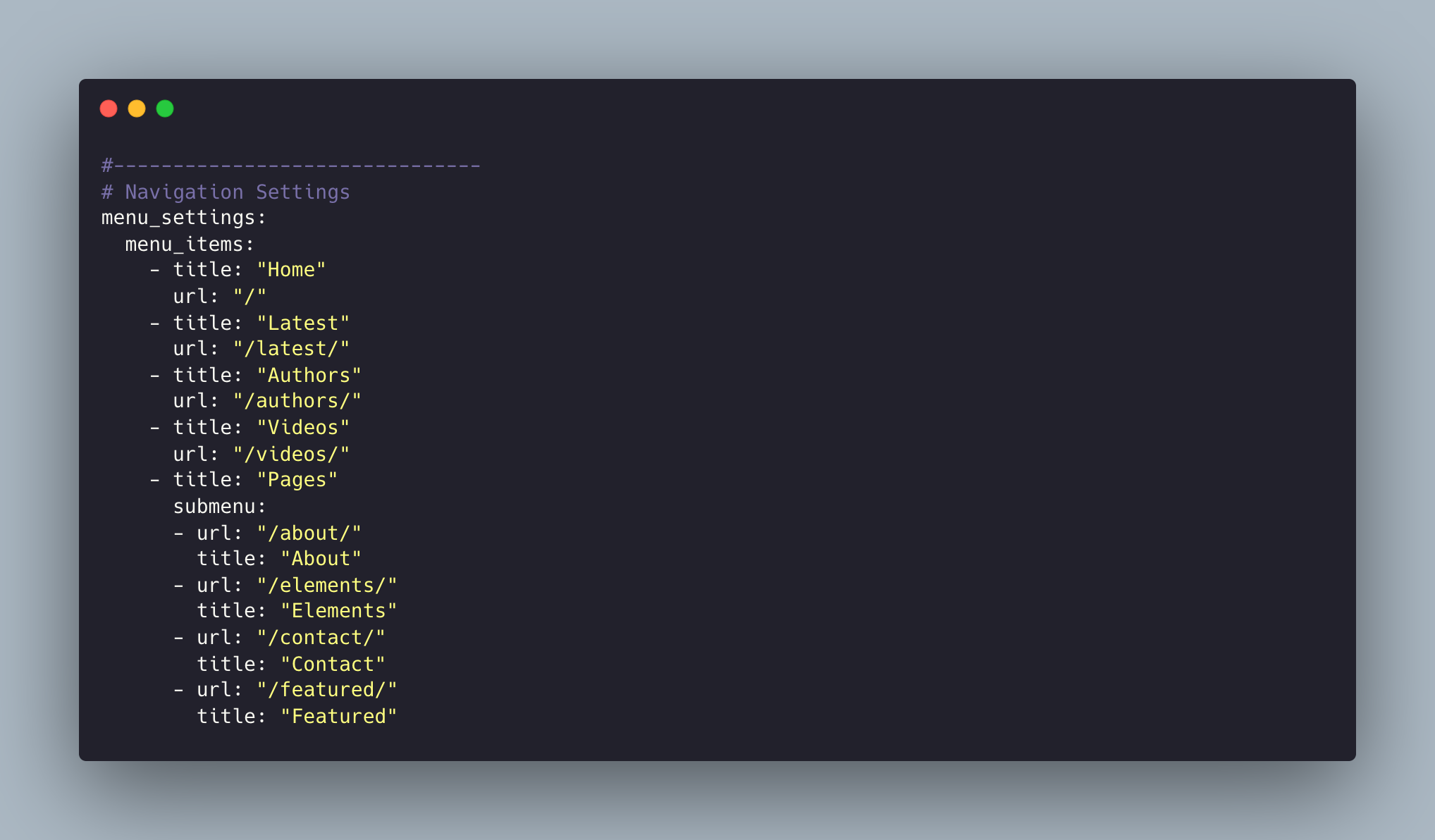
This allows you to set the links inside your menu. Add each one as a list item with a title and url. Make sure you leave a trailing / at the end of links to category pages (e.g. /latest/ or /videos/).
Disqus Comments
Danto Theme comes with Disqus comments enabled.
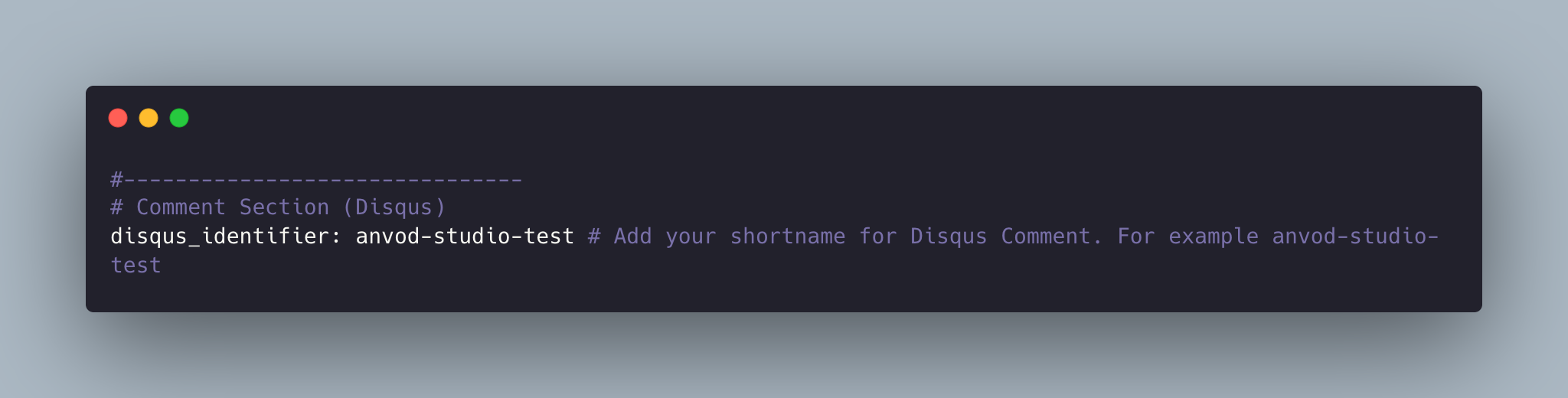
Open _data/settings.yml file, and change the anvod-studio-test value on line 112 with your Disqus account shortname.
That’s all you need to setup Disqus from the theme side. If you get any issue regarding that comments are unable to load. First, make sure you have registered your website with Disqus (Step 1).
And also check Disqus troubleshooting guide if you still have issues.
Google Analytics
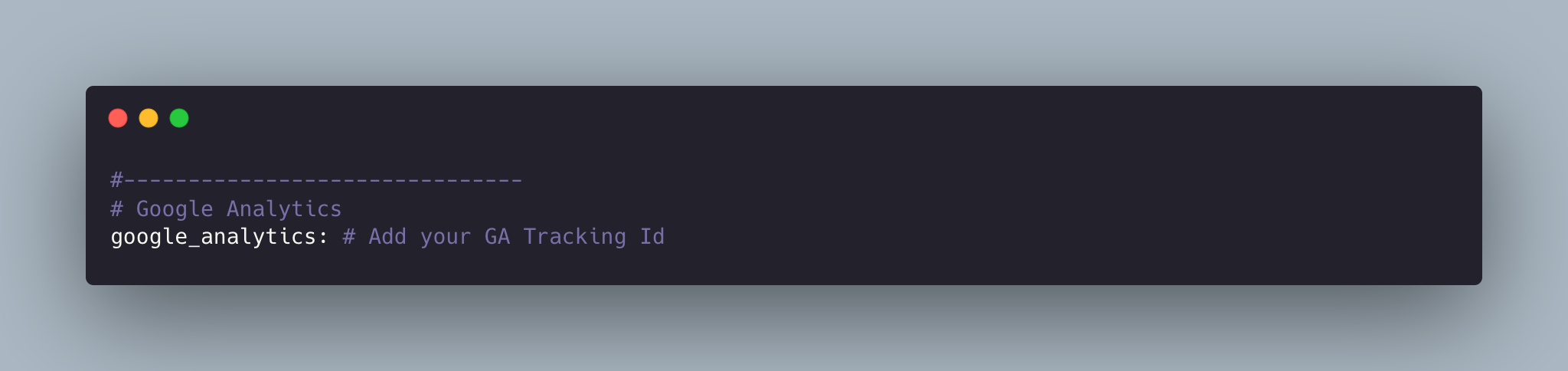
To integrate Google Analytics, open _data/settings.yml, and add your Google Analytics identifier.
Update favicon
You can find the current favicon (favicon.ico) inside the theme root directory, just replace it with your new favicon.
Credits
I have used the following scripts, fonts or other files as listed.
- Google Fonts (Noto Serif, Poppins).
- Vanilla Lazyload
- Ionicons
- Lightense Images
- Reframe.js
- Simple Jekyll Search
- Preview Images form unsplash.com, pexels.com
Support
If you have any questions or feedback about the theme, please feel free to contact me by mail.
Contact Artem